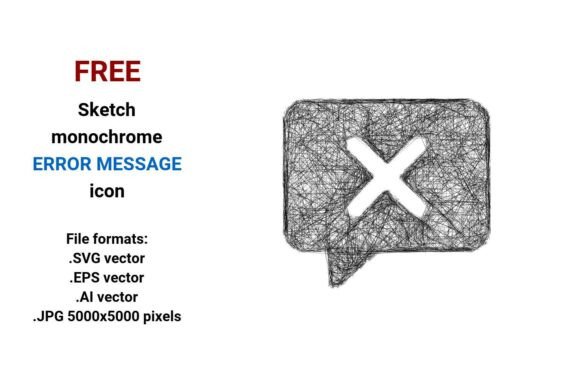
FREE Sketch Error Message Icon
When a user encounters an unexpected issue—whether it’s a failed form submission, a broken link, or a payment decline—the way that error is communicated matters. A well-designed FREE Sketch Error Message Icon doesn’t just signal trouble; it softens the experience with visual empathy, clarity, and consistency. Unlike generic red exclamation marks or sterile system alerts, this icon carries a hand-drawn, approachable quality—think pencil lines, gentle curves, and subtle imperfections that say “we’re human, and this happens.” It’s not just decoration. It’s part of how your interface builds trust.
Why a Sketch-Style Error Icon Works Better Than Standard Alternatives
Most default error icons feel transactional—not conversational. They prioritize function over tone. The FREE sketch black and white error message icon bridges that gap. Its freehand aesthetic signals honesty and accessibility, especially valuable in spaces where users may feel anxious or uncertain: education platforms explaining quiz failures, healthcare apps guiding form completion, or e-commerce sites handling cart errors. Because it’s sketched—not rigidly geometric—it avoids coldness without sacrificing professionalism.
This isn’t about whimsy for its own sake. Research in UX shows that users perceive interfaces with expressive, human-centered visuals as more trustworthy and easier to navigate. A rough line-art sketch icon helps de-escalate tension. When someone sees a softly outlined “X” or a lightly shaded warning triangle drawn with visible pencil strokes, their brain registers less threat—and more invitation to try again.
Four Formats, One Flexible Asset
The FREE Sketch Error Message Icon comes in four widely compatible file formats: .SVG vector, .EPS vector, .AI vector, and .JPG (5000×5000 pixels). That’s intentional. Each serves a distinct need:
- .SVG: Ideal for websites, dashboards, and responsive UIs. Scales flawlessly across devices, supports CSS styling (e.g., color shifts on hover), and loads fast. Perfect for system message banners or inline alert triggers.
- .EPS & .AI: Industry-standard vector formats for designers using Adobe Illustrator or legacy print workflows. Maintain full editability—adjust stroke weight, tweak anchor points, or recolor individual elements without pixelation. Essential if you’re building a custom UI kit or brand-aligned toolkit.
- .JPG (5000×5000): High-resolution raster option for mockups, presentations, printed documentation, or platforms that don’t support vectors natively. Crisp at large sizes—useful for pitch decks, educator handouts, or blog headers where visual fidelity matters more than scalability.
Unlike bitmap-only icons, this set is built as a true vector image: defined by mathematical equations—not fixed pixels. That means whether you scale it to 24px for a mobile button or 200px for a kiosk display, edges stay sharp, curves remain smooth, and file size stays lean.
Real-World Uses Across Roles
Freelancers and small business owners often juggle design, development, and client communication. This error message icon saves time when prototyping landing pages or troubleshooting checkout flows. Drop the .SVG into Figma or Webflow, pair it with concise copy (“Oops! Please check your email format”), and ship faster—no custom illustration needed.
Educators and course creators use it in LMS interfaces or downloadable worksheets. A sketched system message icon feels less intimidating to learners making mistakes—supporting growth mindset principles. You might embed the .JPG version in a PDF quiz answer key to visually flag incorrect responses.
Marketers and bloggers benefit from its versatility in content. Use the .AI file to integrate the icon into branded infographics about UX best practices—or overlay the .SVG on social media graphics explaining error prevention strategies. Its outline sketch icon style ensures readability even at small sizes on Instagram or X thumbnails.
Developers appreciate that the .SVG includes clean paths and minimal groups—no hidden layers or embedded raster effects. That makes it easy to automate via CSS or JavaScript (e.g., swapping icons based on API response codes). No extra optimization plugins required.
When to Consider Other Options
This FREE Sketch Error Message Icon excels in contexts valuing warmth, approachability, and creative identity—but it’s not universal. If your product follows strict enterprise design systems (e.g., IBM Carbon or Material Design), a more neutral, geometric icon may align better with existing patterns. Likewise, for high-contrast accessibility requirements, ensure sufficient luminance contrast between the icon and its background—especially since the black-and-white version relies on outline clarity rather than color cues.
It’s also worth noting: while the sketch aesthetic strengthens personality, it assumes your audience interprets “rough” and “freehand” as intentional—not unpolished. In highly regulated sectors (e.g., finance or medical software), some stakeholders may prefer cleaner, more formal iconography. Always test with real users in your domain.
Getting the Most From Your Download
Start simple. Try the .SVG in one low-risk spot first—like a non-critical validation alert in a contact form. Observe how users interact: do they pause longer? Click the retry button more readily? That qualitative feedback is more valuable than any spec sheet.
If you’re building a broader interface sketch icon library, treat this as a foundational piece. Its line art sketch language pairs naturally with other hand-drawn assets—checkmarks, loading indicators, or success messages drawn in the same style. Consistency here reinforces your brand’s voice far more than isolated perfection.
And remember: “free” doesn’t mean “limited.” You’re not locked into a single use case. The .EPS file lets you adapt the icon for laser-cut signage. The .JPG works in Canva templates for client presentations. The .AI opens doors for motion designers adding subtle wobble animations in After Effects. Flexibility is baked in—not bolted on.
A Thoughtful Tool, Not Just Another Download
Icons are tiny, but their impact multiplies across every interaction. The FREE sketch black and white error message icon gives you more than pixels or paths—it gives you narrative control. It lets you say, “We see the hiccup. We’re here to help—not judge.” That shift, however small, changes how people feel about your product, service, or content.
Whether you’re refining a system message button, assembling a clipart-enhanced tutorial, or defining a new ecommerce error flow, this asset supports intentionality—not just efficiency. And in a world saturated with generic UI components, choosing something sketched, human, and thoughtfully formatted is itself a quiet act of care.