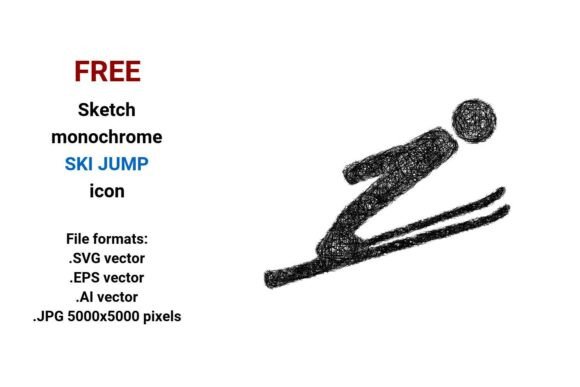
FREE Sketch Ski Jump Icon
A FREE Sketch Ski Jump Icon is more than a decorative asset—it’s a functional, scalable design element built for clarity and consistency across digital and print workflows. Designed in monochrome black-and-white sketch style, it captures motion, athleticism, and freestyle energy with hand-drawn authenticity. Unlike raster images that blur when enlarged, this icon is delivered as a vector—meaning it’s defined by mathematical curves and points, not pixels. That makes it infinitely resizable without quality loss: whether you’re placing it on a 24px UI button or printing it at poster size on a trade show banner, the lines stay crisp, clean, and intentional.
Where It Fits in Your Creative or Business Workflow
The FREE Sketch Ski Jump Icon integrates naturally at multiple stages of a project—not just as an endpoint, but as a supporting tool. Before launching a campaign about winter sports, outdoor education, or athletic training, designers and marketers use icons like this to establish visual tone during mood board development and wireframing. During development, product teams embed it into dashboards, mobile app navigation, or learning platform interfaces where “jump”, “skiing”, or “freestyle” actions need intuitive visual cues. After launch, educators repurpose it in downloadable lesson kits; small business owners drop it into social media graphics or email headers to reinforce brand personality without licensing risk.
Its sketch style bridges professionalism and approachability—ideal for organizations that want to signal creativity (e.g., a ski resort’s youth program), technical precision (a sports science blog), or human-centered design (a fitness app onboarding flow). Because it’s free and royalty-free, there’s no friction in early-stage prototyping: no approvals, no budget requests, no vendor coordination.
Four Formats, One Purpose—Compatibility Without Compromise
This FREE Sketch Ski Jump Icon ships in four formats: .SVG, .EPS, .AI, and .JPG (5000×5000 pixels). Each serves a distinct role in your toolkit:
- .SVG: Best for web use—embed directly into HTML, scale responsively, apply CSS styling (e.g., hover color shifts), and maintain accessibility via
aria-labelattributes. Works natively in modern browsers and CMS platforms like WordPress, Webflow, and Notion. - .EPS: Industry-standard for high-resolution print output. Use it in Adobe InDesign layouts, packaging mockups, or large-format signage where vector fidelity matters most.
- .AI: Editable in Adobe Illustrator. Adjust stroke weight, reposition anchor points, recolor for dark/light mode variants, or combine with other assets in a unified brand system.
- .JPG (5000×5000): A high-res fallback for platforms that don’t support vector uploads—think email clients, legacy CMS editors, or presentation software like PowerPoint. Its resolution ensures sharpness even when cropped or zoomed.
No format requires conversion plugins or third-party tools. You download, open, and use—no trial licenses, no compatibility layers.
Practical Implementation Tips
Start with purpose, not placement. Ask: What action does this icon represent? If it’s a call-to-action (“Jump into freestyle skiing”), pair it with a verb-driven label and ensure contrast meets WCAG 2.1 standards—especially important for the black-and-white sketch style, which relies on line weight and negative space rather than color differentiation.
For UI consistency, treat the FREE Sketch Ski Jump Icon as part of a set—not a one-off. If your dashboard uses sketch-style icons for navigation, apply uniform stroke width (e.g., 1.5pt), consistent baseline alignment, and matching padding. Reuse the same .SVG viewBox dimensions across all icons so scaling remains predictable.
In branding, avoid overloading the sketch aesthetic. Pair it with clean sans-serif typography and ample white space—not ornate fonts or busy backgrounds. The strength of a hand-drawn sketch lies in its restraint; clutter undermines its clarity.
Integration With Other Tools and Assets
This icon works seamlessly alongside common tools used by professionals across disciplines. Designers paste the .AI file directly into Figma via plugin import or drag the .SVG into XD for live preview. Marketers insert the .JPG into Mailchimp templates or Canva social posts without resizing guesswork. Educators embed the .SVG into Google Slides using “Insert > Image > Upload”, then ungroup and recolor elements for custom lesson visuals.
It also complements broader asset libraries: pair it with other freestyle or winter sports vectors (e.g., snowboard, helmet, mountain silhouette) to build cohesive icon systems. For developers, inline SVG code can be extracted from the file and optimized with SVGR or similar tools—reducing HTTP requests while preserving interactivity.
Long-Term Usability Considerations
Vector files like .SVG and .AI age well—but only if organized intentionally. Save versions with clear naming: ski-jump-icon-sketch-black-ai.ai, ski-jump-icon-sketch-svg.svg. Store them in a shared cloud folder with version history enabled, not buried in desktop downloads. Tag files in DAM systems with keywords like ski jump button, freestyle icon, and sketched UI element for future retrieval.
Because it’s monochrome and outline-based, the FREE Sketch Ski Jump Icon avoids seasonal obsolescence. It won’t clash with annual palette updates or require redesign when your brand refreshes. Its sketch style also resists trend fatigue—unlike photorealistic or gradient-heavy icons that date quickly.
Real-World Use Cases Across Professions
Freelancers use it to rapidly prototype client proposals for ski resort websites—dropping the icon into Figma frames alongside copy about terrain parks or freestyle coaching. No need to commission custom illustration for early-stage pitches.
Educators embed the .JPG version into interactive PDF worksheets about physics concepts (e.g., projectile motion in skiing), then annotate directly in Acrobat. The hand-drawn quality feels less intimidating to students than technical diagrams.
Small business owners add the .SVG to their Shopify store’s navigation bar under “Ski Programs”, linking to freestyle camp sign-ups. Because it’s lightweight and loads instantly, it supports Core Web Vitals goals without sacrificing visual identity.
Bloggers and content creators use the sketch style to break up long-form posts about ski technique or mountain safety—placing it beside subheads like “Master the Takeoff” or “Land with Control”. Its informal tone invites engagement without undermining authority.
Why Quality Control Starts With Format Choice
Using the wrong format creates downstream inefficiencies: stretching a low-res JPG causes pixelation in presentations; embedding unoptimized SVG adds bloat to page load time; opening EPS in non-Adobe software may trigger rendering errors. The FREE Sketch Ski Jump Icon anticipates these by delivering production-ready files—not placeholders. Before finalizing a layout, verify that the chosen format matches the medium: SVG for live web, EPS for print-ready PDFs, AI for further editing, JPG only where vectors aren’t supported.
Also check stroke alignment. In Illustrator, ensure strokes are centered—not aligned to inside or outside—so resizing preserves proportional balance. This detail matters most when building icon libraries where visual rhythm affects perceived professionalism.
When integrated thoughtfully, the FREE Sketch Ski Jump Icon doesn’t just illustrate an idea—it reinforces intention, improves scannability, and supports decision-making. Whether you’re mapping a user journey, designing a curriculum, or launching a community initiative around skiing and freestyle movement, it functions as both signal and tool: simple in form, precise in utility, and ready where you need it.