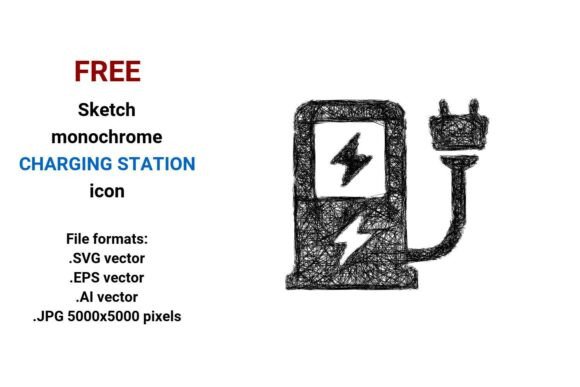
FREE Sketch Charging Station Icon
If you're designing an EV-related website, app interface, presentation deck, or marketing asset—and you need a clean, expressive, and instantly recognizable visual for charging infrastructure—you’ll appreciate the FREE Sketch Charging Station Icon. It’s not just another generic plug-and-cable symbol. This is a hand-drawn, monochrome sketch-style vector icon that captures the human touch behind modern mobility: approachable, intentional, and quietly confident.
What Makes This Icon Stand Out in Real Projects?
Unlike rigid, overly technical icons, the FREE Sketch Charging Station Icon leans into artistic authenticity—think pencil-line confidence, subtle curvature, and gentle imperfection. That “sketch” quality isn’t decorative fluff; it signals accessibility and user-friendliness. When your audience sees this icon on a mobile app screen, a city planning brochure, or an EV fleet dashboard, they subconsciously register: This isn’t cold infrastructure—it’s designed for people.
You get four versatile file formats: .SVG (ideal for responsive web use), .EPS and .AI (for full editability in Adobe Illustrator or professional print workflows), and a high-res .JPG at 5000×5000 pixels (perfect for large-format signage, posters, or printed reports where vector software isn’t available).
Where This Icon Fits—Without Forcing It
EV startups building their first customer app: Use the sketch charging station icon as a navigation button labeled “Find Stations.” Its hand-drawn warmth softens the tech-heavy experience—especially helpful when users are stressed about range anxiety or unfamiliar chargers.
City planners and transit authorities: Embed it into interactive maps showing public charge points. Because it’s black and white and minimalistic, it scales cleanly across devices—from a tablet used in community workshops to a kiosk display at a metro station.
Educational nonprofits teaching sustainable transport: Drop the icon into infographics comparing home vs. public charging, or overlay it on illustrated timelines of EV adoption. Its sketch style invites engagement—students and residents alike feel like they’re part of the conversation, not just passive recipients of data.
UI/UX designers assembling an EV-focused design system: This icon works beautifully alongside other sketch-style elements—like hand-drawn battery indicators or route-planning arrows. It supports consistency without demanding uniformity. You can pair it with bolder, more geometric icons elsewhere in the kit and still maintain visual harmony through shared tone, not strict style rules.
Who Benefits—and How They Use It Differently
- Freelance graphic designers grab the .AI or .EPS files to tweak stroke weight or adjust proportions before dropping it into client brand guidelines—no pixelation, no guesswork.
- Marketing teams at charging network operators use the JPG version in press kits and investor decks where fast loading and universal compatibility matter more than infinite scalability.
- Teachers and curriculum developers print the SVG at any size for classroom posters—no blurriness, even when enlarged to fill a wall—and students respond better to its friendly, non-intimidating line work.
- Hardware engineers documenting EVSE (Electric Vehicle Supply Equipment) insert the icon into technical schematics or user manuals—not as decoration, but as intuitive visual shorthand next to labels like “Charge Point Interface” or “Station Status Indicator.”
Things to Keep in Mind Before Dropping It In
Because it’s intentionally sketch-style, this icon thrives in contexts that value expressiveness over clinical precision. If your project calls for strict regulatory compliance visuals—like UL-certified labeling or ISO-standardized symbols—this isn’t the go-to. Likewise, if your brand identity is ultra-minimalist with razor-thin strokes and zero texture, the slight roughness of the pencil line may feel tonally misaligned.
Also worth noting: while the black-and-white palette ensures flexibility (easy to recolor digitally, safe for grayscale printing), it doesn’t convey color-coded status information (e.g., green = available, red = occupied). You’ll want to layer that logic separately—using badges, labels, or adjacent UI elements—rather than expecting the icon itself to carry functional state.
And although it’s labeled “charging station,” it’s equally effective representing a charge point or ev charger in context—especially when paired with supporting text. Its strength lies in recognition, not exhaustive literalism.
Why “Sketch” Isn’t Just a Style Choice—It’s a Signal
In a world saturated with polished, AI-generated visuals, a hand-drawn icon like this quietly says: We see the people behind the technology. That matters—for drivers wondering if a station will actually work, for municipalities balancing budgets and sustainability goals, for developers building tools that must feel trustworthy *and* usable.
The FREE Sketch Charging Station Icon doesn’t shout. It invites. It fits naturally into dashboards, wayfinding systems, educational materials, and pitch decks—not because it’s flashy, but because it feels honest. And in projects where clarity, empathy, and quick recognition are non-negotiable, that honesty becomes a practical advantage.
How to Make It Work With What You Already Have
Already using a UI kit? Drop the SVG into your component library as a reusable
Need to match existing branding? Open the .AI file and adjust the stroke color in seconds—then export fresh versions for dark mode or accessible contrast ratios. Printing a community map? Place the EPS in InDesign and let it render crisply at 300 DPI—even at 48 inches wide.
Most importantly: don’t overthink placement. This icon earns trust precisely because it doesn’t demand attention. It works best when it’s *just there*—clear, calm, and confidently sketched.