FREE Sketch Clinic Icon: Clean, Scalable, and Ready for Real Use
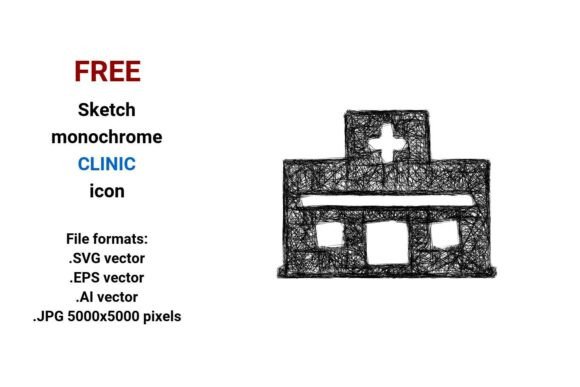
If you're building a healthcare website, designing a clinic brochure, or creating an app interface for a medical practice, finding the right visual symbol matters. The FREE Sketch Clinic Icon stands out—not because it’s flashy, but because it’s intentionally simple, hand-drawn, and built for flexibility. It’s a black-and-white, line-based clinic icon rendered in four essential file formats: .SVG vector, .EPS vector, .AI vector, and high-resolution .JPG (5000×5000 pixels). That means whether you’re scaling it for a mobile button or printing it on a wall-sized poster, clarity stays intact.
Why “Sketch” Isn’t Just a Style—It’s a Signal
A sketch-style icon communicates approachability, human-centered care, and thoughtful design—qualities patients associate with trusted medical clinic environments. Unlike sterile, overly technical symbols, this hand drawn sketch icon uses light stroke weight, subtle irregularity, and clean outline work to suggest care without sacrificing professionalism. It fits naturally into modern healthcare branding—especially for clinics emphasizing patient connection, integrative services, or community-focused care.
Common Missteps—and How to Avoid Them
Many people download a FREE Sketch Clinic Icon thinking “it’s free, so it’s ready.” But usability isn’t automatic—and overlooking key details can cost time, credibility, or consistency down the line.
Mistake #1: Assuming All File Formats Are Equal for Your Workflow
Just because a pack includes .SVG, .EPS, .AI, and .JPG doesn’t mean they all serve your needs equally. For example:
- Web developers should default to .SVG: it’s lightweight, responsive, and supports CSS styling (e.g., hover color changes on a clinic button). Using .JPG instead adds unnecessary load time and prevents dynamic interaction.
- Print designers need editable vectors—.AI or .EPS—to adjust stroke width, recolor, or integrate into layered layouts. A .JPG, no matter how high-res, will pixelate if rotated or heavily scaled in Illustrator or InDesign.
- Non-designers often grab the .JPG first because it opens everywhere—but that locks them out of customization. If you later want to match your brand’s exact gray tone or add a subtle shadow, you’ll hit a wall.
Better approach: Before downloading, ask: Where will this live? Web? Print? App UI? Then choose the format that preserves editability *and* performance—not just convenience.
Mistake #2: Ignoring Contextual Fit
A minimal, monochrome clinic icon works beautifully on a white background or alongside soft pastels—but it can disappear against busy textures, dark themes, or patterned banners. Some users drop the FREE Sketch Clinic Icon straight onto a gradient hero section and wonder why it looks “washed out.”
Also, “sketchy” doesn’t mean “sloppy.” This icon relies on deliberate stroke rhythm and balanced negative space. If you stretch it unevenly—or apply heavy filters like blur or noise—you break its visual integrity. That undermines the very clarity it was designed to provide.
Better approach: Test the icon at actual size in your layout. Try it on light/dark backgrounds. Zoom in: do lines stay crisp? Does the scribble-inspired quality still feel intentional—not accidental? If not, adjust contrast, add a subtle stroke or background shape, or choose a different variant from the set.
Mistake #3: Overlooking Licensing Clarity—Even With “FREE”
“FREE” doesn’t always mean “unrestricted.” Some free icons come with attribution requirements, prohibit commercial use, or ban modification. The FREE Sketch Clinic Icon is typically offered under a permissive license (check the source), but assumptions lead to risk—especially for small business owners launching a new medical clinic website or printed materials.
Example: A freelance designer uses the icon in a client’s logo system, assuming it’s safe—only to get a takedown notice because the original license required visible credit on all digital displays. Time, trust, and revision costs pile up fast.
Better approach: Read the license *before* integrating—even if it’s one paragraph. Look for keywords like “commercial use,” “modification allowed,” and “attribution required.” When in doubt, email the creator or choose a verified CC0 or MIT-licensed alternative.
What to Check Before You Commit
Before using the FREE Sketch Clinic Icon in a live project, run through these quick checks:
- Consistency with your other icons: Does its stroke weight, level of detail, and visual “energy” match your existing button icon set? Mixing ultra-thin sketch lines with bold flat icons creates visual dissonance.
- Accessibility readiness: At small sizes (e.g., 24×24px for a mobile menu), does the core shape remain legible? Try squinting at it—if you can’t instantly recognize it as a clinic or medical symbol, consider pairing it with a label or choosing a slightly bolder variant.
- Technical compatibility: If you’re using Figma or Webflow, .SVG imports cleanly. If you’re in Canva, upload the .JPG *only* as a last resort—and always scale it at 100% to avoid interpolation blur.
- Brand alignment: Does “hand drawn” support your message? A pediatric clinic might thrive with this warmth; a cutting-edge neurology center may prefer something more precise. There’s no universal “best”—just what serves your audience’s expectations.
Final Thought: Simplicity Serves Purpose—Not Just Aesthetics
The FREE Sketch Clinic Icon isn’t about minimalism for its own sake. It’s a tool shaped for real tasks: guiding patients to “Book Now,” labeling a service section, or anchoring a clean healthcare landing page. Its strength lies in being vector-based (infinitely scalable), black and white (versatile across media), and hand drawn (human and memorable). But like any good tool, it works best when used with awareness—not just downloaded and dropped.
Take five minutes to test it in context. Confirm the format matches your workflow. Respect the license. And remember: the goal isn’t just to use an icon—it’s to reinforce trust, clarity, and care every time someone sees it.