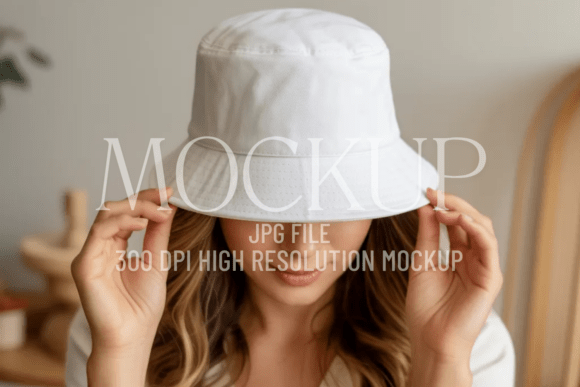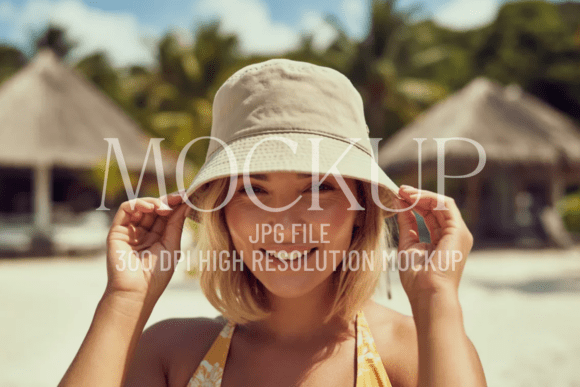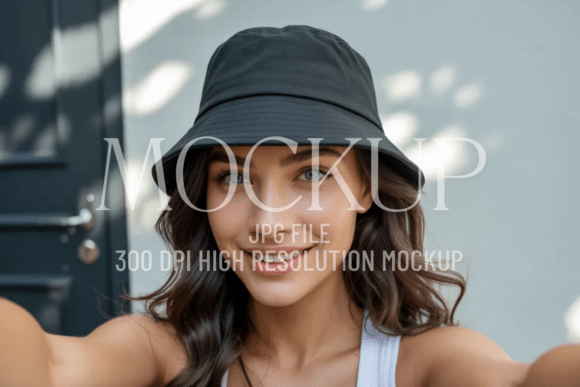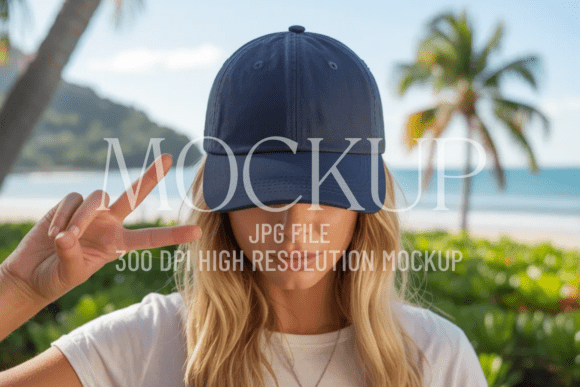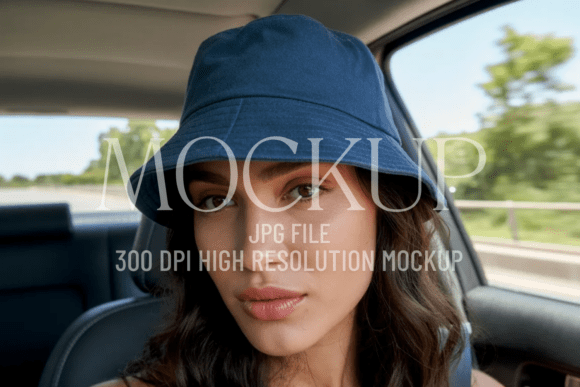
Navy Bucket Hat Mockup
Looking for a clean, versatile way to present your designs—whether it’s a bold logo, a subtle quote, or a vibrant social media graphic? The Navy Bucket Hat Mockup is more than just a visual placeholder. It’s a practical tool that helps designers, small business owners, and content creators communicate professionalism and intentionality—without needing photography, studio lighting, or complex editing skills.
Why This Mockup Stands Out (and Why “Minimal” Isn’t Just a Buzzword)
Unlike overly stylized or cluttered mockups, this Premium Minimal Mockup prioritizes clarity over decoration. The navy bucket hat sits on a neutral background with soft shadows and natural fabric texture—realistic enough to convey material quality, but restrained enough to keep attention on your design. That balance matters: too much realism can distract; too little feels generic. This version lands right in the middle—ideal for branding presentations, Etsy shop listings, pitch decks, or Instagram carousels.
It’s not about making your work look “expensive.” It’s about making it look considered.
Mistake #1: Assuming All Navy Bucket Hat Mockups Are Interchangeable
Not all navy bucket hats render the same way. Some mockups use flat color fills instead of true fabric texture. Others distort proportions—making the brim too narrow or the crown too shallow—so your design appears stretched or misaligned. Worse, some include subtle watermarks or low-resolution JPEGs disguised as “high-res.”
Better approach: Before downloading or purchasing, zoom in on preview images. Look for visible weave detail in the fabric, consistent shadow direction, and crisp edges where your design layer meets the hat surface. This Navy Bucket Hat Mockup delivers a 300 DPI JPG file—no compression artifacts, no pixelation when scaled for web or print use.
Mistake #2: Overlooking Placement Constraints
Bucket hats have curved surfaces—and not all mockups simulate that curvature accurately. If the smart object layer doesn’t follow the natural drape of the front panel, your centered text may appear off-kilter or “floating.” You might spend minutes adjusting alignment only to realize the issue isn’t your design—it’s the mockup’s perspective.
Better approach: Test the mockup with a simple horizontal line first. Does it follow the curve smoothly? Does the top edge stay parallel to the brim? This version uses a carefully calibrated smart object that respects real-world geometry—so your typography and icons sit naturally, not awkwardly.
Mistake #3: Forgetting Contextual Consistency
Say you’re building a brand kit: you use this Navy Bucket Hat Mockup for product visuals, but pair it with a gritty urban backdrop mockup for t-shirts and a glossy white studio shot for mugs. The result? A disjointed visual identity—even if each individual image looks great. Consistency builds trust. Inconsistency creates subconscious hesitation.
Better approach: Use this mockup as part of a coordinated set—not an isolated prop. Its clean, uncluttered aesthetic pairs well with other minimal mockups (think tote bags, posters, or notebook covers). That cohesion makes your portfolio feel intentional, not pieced together.
What to Check Before You Download or Buy
- Resolution & Format: Confirm it’s delivered as a high-quality JPG at 300 DPI—not a compressed PNG or upscaled screenshot. Lower resolution limits where and how you can use it (e.g., large-format prints or retina displays).
- Layer Structure: Even if you’re not using Photoshop daily, ensure the file includes a clearly labeled smart object layer. No hidden layers, no locked groups, no extra text or tags baked into the base image.
- Background Simplicity: A pure white or softly blurred neutral background gives you flexibility. Busy textures or colored gradients limit reuse—especially if you later want to composite into different layouts or match existing brand palettes.
- Licensing Clarity: Double-check usage rights. Can you use it commercially? For client work? In digital ads? This Navy Bucket Hat Mockup comes with straightforward, royalty-free licensing—no surprises down the line.
Real-World Uses—Beyond the Obvious
Yes, it’s perfect for showing off embroidered logos or printed quotes—but its strength lies in subtler applications too.
A freelance educator might use it to preview workshop-branded merch before launching a course. A local café owner could mock up seasonal hat designs alongside menu graphics—keeping visual language aligned across touchpoints. A blogger testing new merch ideas can share multiple variations in a single Instagram Story without staging photo shoots.
And because it’s truly minimal—no distracting props, no exaggerated shadows, no forced lifestyle context—you retain full control over narrative. Your audience sees your idea, not someone else’s styling choices.
A Final Note on Quality vs. Convenience
There’s no shortage of free bucket hat mockups online. But many cut corners: blurry edges, mismatched lighting, inconsistent sizing, or embedded copyright notices. Choosing one based solely on speed or price often leads to rework—editing out artifacts, adjusting contrast, or even scrapping the image entirely for a client presentation.
This Navy Bucket Hat Mockup saves time not by being “fast,” but by being reliable. You apply your design once. You export. You move on—confident it reflects your standards.
That kind of quiet efficiency? It compounds. Across projects. Across clients. Across seasons.
Bring your creativity to life—with clarity, consistency, and confidence. 🎨💫