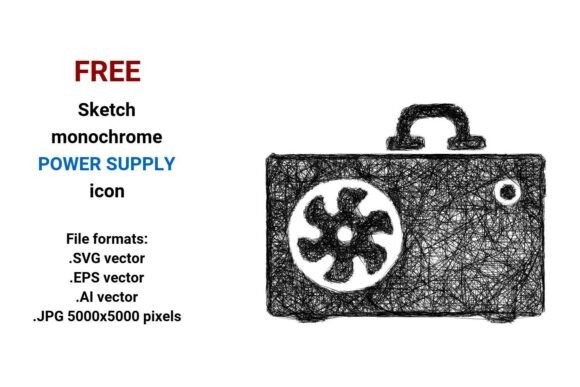
FREE Sketch Power Supply Icon: Minimal, Scalable, and Ready for Modern UI Design
Designers, developers, and product teams increasingly rely on expressive yet functional visual assets—especially when building interfaces that balance clarity with personality. The FREE Sketch Power Supply Icon meets that need precisely: a hand-drawn, black-and-white representation of a computer power unit (PSU) that feels human, intentional, and technically sound. Unlike generic flat icons or overly polished 3D renderings, this sketch-style asset conveys both hardware authenticity and design flexibility—making it ideal for dashboards, documentation, hardware configurators, educational tools, and embedded system interfaces.
Why Sketch-Style Icons Are Gaining Real Traction
Over the past five years, UI design has shifted toward “intentional imperfection”—a move away from sterile uniformity and toward visual warmth that signals approachability and craftsmanship. Sketchy icons fit naturally into this evolution. They’re not about nostalgia; they’re about communication. A lightly outlined, curve-emphasized power supply icon subtly signals “this is a physical component,” without overwhelming the layout. That nuance matters in contexts like IT training platforms, open-source hardware documentation, or DIY PC builder apps—where users benefit from visual cues that bridge technical accuracy and intuitive recognition.
This trend isn’t just aesthetic—it’s behavioral. Users scan interfaces faster when icons carry consistent stylistic logic. A set of sketch-style elements—including a computer power unit button, a CPU outline, or a cooling fan glyph—creates visual cohesion across an app or dashboard. And because sketch icons often use simplified geometry and clear negative space, they scale gracefully across devices, from high-DPI developer monitors to mobile troubleshooting guides.
What Makes This FREE Sketch Power Supply Icon Uniquely Practical
The value isn’t just in the style—it’s in the delivery. This FREE Sketch Power Supply Icon ships in four production-ready formats: .SVG vector, .EPS vector, .AI vector, and a high-resolution .JPG (5000×5000 pixels). That means no compromises across workflows:
- SVG integrates cleanly into web UIs, supports CSS styling, and loads instantly—perfect for status indicators or interactive PSU toggles in admin dashboards;
- EPS and AI files preserve full editability in Adobe Illustrator or Affinity Designer, letting you adjust stroke weight, recolor paths, or combine the icon with custom labels or circuit diagrams;
- The 5000×5000 JPG serves as a reliable fallback for print documentation, presentation decks, or legacy systems that don’t support vector imports—without pixelation or softening.
Unlike raster-only packs or single-format downloads, this set respects how professionals actually work. A hardware startup documenting their modular PSU can drop the SVG into a React component, then export the same asset as EPS for their investor pitch deck—no re-tracing, no quality loss, no licensing friction.
Vector Clarity Meets Hardware Precision
A vector image isn’t just “scalable”—it’s mathematically grounded. Every line, curve, and anchor point in this sketch power supply asset is defined by equations, not pixels. That means whether you’re rendering it at 24px in a toolbar or blowing it up to 36 inches for a trade-show banner, the proportions, stroke consistency, and subtle hand-drawn irregularities remain intact.
This fidelity matters for technical accuracy. A poorly scaled icon can distort critical details—like the shape of a 24-pin ATX connector outline or the spacing between ventilation slats. With true vector source files, those features hold up. You’re not just getting a power supply button; you’re getting a computer power unit icon built to communicate function first, aesthetics second.
Real-World Uses Beyond the Obvious
Most designers reach for a PSU icon when labeling a hardware settings panel—but its utility extends further:
- Educational content: Computer science instructors use the sketch style to differentiate conceptual diagrams from photorealistic photos—helping students focus on signal flow, not casing texture;
- Embedded system UIs: Industrial controllers or Raspberry Pi-based monitoring dashboards benefit from low-footprint, high-legibility assets—especially in monochrome or OLED-limited displays;
- Open hardware documentation: Projects like LibrePCB or KiCad schematics pair well with matching sketch-style symbols, reinforcing consistency across schematic, board layout, and user-facing docs;
- Marketing collateral: A startup launching a modular PSU line might use the sketch icon in explainer videos—not as a literal component, but as a visual motif representing “power architecture” or “modular design.”
It’s also intentionally minimal. There’s no shadow, no gradient, no glossy overlay—just clean lines, deliberate imperfections, and semantic clarity. That makes it easy to adapt: invert it for dark mode, tint it with CSS variables, or layer it over animated circuit traces without visual conflict.
How It Fits Into Broader Creative & Technical Shifts
Today’s creative workflows demand interoperability—not just between tools, but between disciplines. A hardware engineer sketching a new PSU layout might share early concepts with a designer using the same .AI file. A marketer building a campaign around “reliable power infrastructure” can pull the same .SVG into Figma, then export it as part of a responsive landing page—all while preserving stroke integrity.
That cross-role compatibility reflects a larger shift: the blurring of boundaries between engineering, design, and communication. Assets like this FREE Sketch Power Supply Icon serve as lightweight translation layers—technical enough for engineers, expressive enough for designers, and clear enough for end users.
It also aligns with sustainability in digital design: reusable, format-agnostic assets reduce redundant creation, lower bandwidth usage (thanks to compact SVGs), and minimize version sprawl. No more maintaining three separate PNG sizes or redrawing the same icon for web, print, and video.
Getting Started Is Instant—and Truly Free
There’s no email gate, no attribution requirement, and no hidden limits. Download the full set—sketch power supply, computer power unit icon, psu button, all four formats—and begin integrating immediately. Whether you’re prototyping a new BIOS interface, illustrating a blog post on power efficiency, or building a classroom toolkit for hardware literacy, this asset works without friction.
And because it’s built as a digital sketch icon—not a traced photo or auto-generated glyph—it carries subtle human rhythm: slight line variation, organic curve endpoints, balanced negative space. Those details don’t shout. But they build trust. In interfaces where reliability matters—like system diagnostics or safety-critical controls—that quiet confidence is anything but minor.
If your workflow values precision *and* personality—if you design for people who care about what’s under the hood—this FREE Sketch Power Supply Icon isn’t just another download. It’s a small, scalable, thoughtful tool for clearer communication.