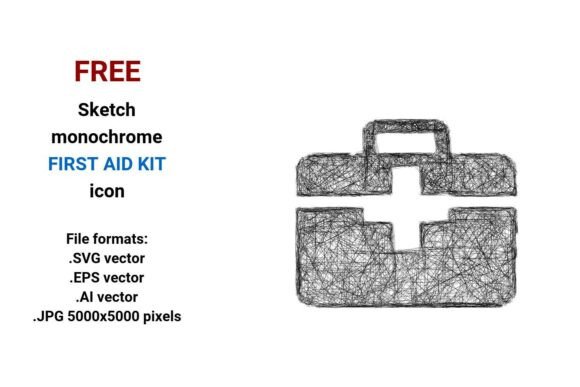
FREE Sketch First Aid Kit Icon: Clean, Scalable & Ready for Real Projects
If you're designing a camp safety guide, building an emergency response dashboard, or crafting a wellness app interface, a well-chosen icon matters more than you might think. The FREE Sketch First Aid Kit Icon stands out—not because it’s flashy, but because it balances hand-drawn authenticity with professional versatility. It’s not just a doodle; it’s a functional vector asset available in four essential formats: .SVG, .EPS, .AI, and high-res .JPG (5000×5000 pixels). That means whether you’re tweaking a button in Figma, prepping a print-ready brochure, or embedding into a web layout, the icon stays crisp at any size.
Why “Sketch” Doesn’t Mean “Sloppy”—And Why Format Choice Matters
Many assume “sketch” icons are rough drafts—meant only for early wireframes. But a true sketch-style vector icon like this one uses intentional line weight, subtle curvature, and clean negative space to suggest approachability and human care—ideal for health, education, or outdoor brands. Where people go wrong is treating all formats as interchangeable. For example: dropping the .JPG into a responsive website header will pixelate on Retina displays, while using the .AI file in a non-Adobe environment (like Canva or Webflow) creates workflow friction. The .SVG is your best bet for web use—it loads fast, scales infinitely, and supports CSS styling. The .EPS and .AI files? Reserve those for print production or deep editing in Illustrator.
A Common Oversight: Assuming “Free” Means “No Checks Needed”
“Free” doesn’t automatically mean “ready to deploy.” Before inserting the FREE Sketch First Aid Kit Icon into your project, verify three things:
- Licensing clarity: This icon is free for personal and commercial use—no attribution required—but always double-check the source page for any updates. Some “free” assets hide restrictive clauses around resale or SaaS integration.
- Color flexibility: Since it’s black and white, it adapts easily to your palette—but confirm the vector paths aren’t grouped with hidden fills or strokes that could interfere when recoloring in your editor.
- Context fit: A sketchy first aid kit icon works beautifully in a camping safety checklist or a mental health app’s “support toolkit” section. It feels less clinical, more empathetic. But avoid it in formal medical documentation where precision and standardization (like ISO symbols) are expected.
Mistake #1: Using Sketch Icons Without Considering User Expectations
Imagine placing this icon next to a “Camp First Aid” heading on a park ranger’s website. Great choice—it signals preparedness without cold sterility. Now imagine using the same icon beside “Emergency Kit Contents” in a hospital’s internal training portal. Here, users expect clarity over charm. They need to recognize the symbol instantly—not interpret its style. That mismatch slows comprehension and weakens trust. The fix? Match the icon’s tone to your audience’s mental model. For camping, outdoor education, or community wellness, the sketch style reinforces accessibility and hands-on readiness. For regulated or clinical settings, pair it with clear labels—or choose a complementary set of standardized icons alongside it.
Mistake #2: Ignoring How Vector Structure Affects Editing
This icon is built as a clean, layered vector—not a rasterized sketch pretending to be scalable. Yet some users open the .AI file, try to adjust a single curve, and get stuck because anchor points are overly simplified or grouped unnecessarily. Better approach: spend two minutes ungrouping layers and checking path integrity before customizing. If you plan to animate it (e.g., a pulsing “firstaid” button on a dashboard), export the .SVG and optimize it with tools like SVGOMG—removing unused metadata keeps file size tiny and performance smooth.
Mistake #3: Overlooking Use Cases Beyond Buttons and Logos
Most grab this icon for a first aid kit button or toolbar item—and that’s smart. But its real value shines in layered applications: as a subtle watermark on printable camp first aid checklists; as a consistent visual anchor across a series of emergency kit infographics; or even as part of a larger toolkit icon set (pair it with sketch-style scissors, bandage rolls, or thermometer icons). Because it’s hand-drawn yet precise, it holds up in mixed-media layouts—think illustrated blog headers or educator slide decks where warmth and clarity both matter.
What to Test Before Finalizing Your Design
Before publishing or printing, run these quick checks:
- Zoom test: Scale the icon to 400% in your design tool. Do curves stay smooth? Do thin lines vanish or thicken unexpectedly?
- Contrast test: Place it on light, dark, and textured backgrounds. Does the sketchy outline remain legible—or does it fade against busy patterns?
- Label pairing: Try it beside text like “Emergency Kit,” “First Aid Station,” or “Camping Safety.” Does the combination feel balanced—not too heavy, not too vague?
- Export sanity check: If using in web development, preview the .SVG in multiple browsers. Confirm hover states, transitions, and accessibility attributes (like
aria-label) work as intended.
Final Thought: Style With Purpose, Not Just Aesthetics
The FREE Sketch First Aid Kit Icon succeeds because it merges creative expression with functional reliability. It’s not about choosing “sketch” to look trendy—it’s about selecting a visual language that aligns with your message: care that’s human-scaled, preparation that’s accessible, and response that’s grounded. Whether you’re a freelancer building a client’s outdoor safety site, an educator assembling classroom resources, or a small business owner labeling your emergency kit inventory, this icon earns its place by doing more than decorating. It communicates—clearly, kindly, and consistently. And when your visuals do that, your audience doesn’t just see an icon. They feel prepared.