FREE Sketch Squat Icon: A Practical, Scalable Asset for Fitness Design and Digital Workflows
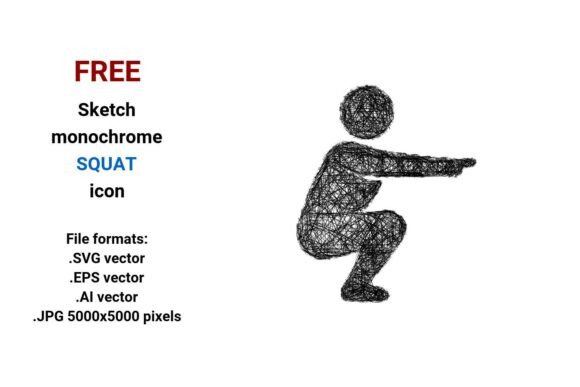
Designers, educators, fitness professionals, and content creators often need clear, expressive visual assets that communicate movement, strength, and intention—without clutter or ambiguity. The FREE Sketch Squat Icon meets that need precisely: a hand-drawn, monochrome representation of the squat exercise, delivered in four production-ready formats—.SVG, .EPS, .AI, and high-resolution .JPG (5000×5000 pixels). Unlike raster-only icons, this is a true vector image: built from mathematical paths rather than fixed pixels. That means it scales cleanly from a 16-pixel interface button to a 48-inch presentation backdrop—no pixelation, no quality loss, no redesign required.
Why Vector Matters in Real Workflows
A vector image isn’t just “scalable”—it’s operationally flexible. When you’re building a workout app interface, designing an online course module on leg strength, or preparing a printed poster for a community fitness challenge, consistency across sizes and mediums is non-negotiable. With the FREE Sketch Squat Icon, you avoid the common friction of sourcing multiple versions—or worse, stretching low-res assets until they blur. Because it’s native in .SVG, it integrates directly into modern web platforms (like WordPress, Webflow, or Figma) without conversion steps. Its .AI and .EPS files open natively in Adobe Illustrator and Affinity Designer, letting you adjust stroke weight, recolor on-the-fly, or isolate individual path segments for animation or interactive states.
This flexibility supports real decisions—not just aesthetics. For example, a freelance UX designer working on a wellness app might use the .SVG version as a clickable icon in a navigation bar, then export the same source file as a crisp .PNG for mobile app store screenshots. A physical therapist creating patient education handouts can drop the .EPS into InDesign, layer it over anatomical diagrams, and scale it to match text hierarchy—all while preserving sharp edges and clean line integrity.
How It Fits Before, During, and After Your Project
Before launch: Use the sketch-style squat icon early in wireframing or mood boarding. Its rough, artistic line work signals approachability and human-centered design—ideal for brands that prioritize authenticity over sterile perfection. Unlike generic flat icons, this one carries subtle visual cues: slight curvature in the knee angle, intentional line tapering at joints, and balanced negative space around the torso. That makes it effective in stakeholder presentations where tone and intent matter as much as function.
During execution: Embed the .SVG directly into HTML/CSS for responsive interfaces. Apply CSS transforms for hover effects, animate stroke-dashoffset for loading states, or use currentColor to inherit text color—no extra assets needed. For print or PDF delivery (e.g., digital worksheets or certification materials), open the .AI file, adjust stroke width to 0.75pt for crisp offset printing, and export as CMYK PDF/X-4. The monochrome nature eliminates color matching overhead—critical when managing brand guidelines across vendors.
After deployment: Reuse becomes effortless. Need a social media carousel slide? Pull the .JPG version—it’s already optimized at 5000×5000 pixels, so cropping for Instagram posts, Pinterest pins, or LinkedIn banners requires no resampling. Want to add motion? Import the .SVG into After Effects via Lottie or SVG animation plugins. Even long-term asset management improves: store all four formats under one consistent naming convention (e.g., squat-icon-sketch-v1.svg, squat-icon-sketch-v1.ai) so team members locate, verify, and update versions without confusion.
Practical Integration Tips Across Roles
- For marketers: Pair the sketch squat icon with short-form video captions (“Squat form check →”) or use it as a recurring visual motif in email campaign headers. Its doodle-style aesthetic increases perceived relatability—especially for audiences wary of overly clinical fitness imagery.
- For educators: Insert the .SVG into Google Slides or PowerPoint as an editable shape. Duplicate and rotate copies to demonstrate front-view vs. side-view squat mechanics. Since strokes remain vector-based, zooming during live instruction keeps lines razor-sharp.
- For developers: Inline the .SVG code directly into HTML for zero HTTP requests. Add ARIA labels (
aria-label="squat exercise icon") for accessibility compliance. Usereferences to reuse the same symbol across buttons, tooltips, and progress trackers—reducing bundle size and ensuring visual consistency. - For small business owners: Drop the .JPG into Canva templates for class schedule graphics or membership flyers. Its high resolution prevents upscaling artifacts—even when printed on large-format posters at local gyms or community centers.
Quality Control and Long-Term Usability
The FREE Sketch Squat Icon was created with deliberate constraints: single-weight strokes, closed paths, and minimal anchor points. That translates to predictable behavior across tools—no stray nodes, no overlapping fills, no hidden layers. Before deploying, test compatibility: open the .EPS in Illustrator and confirm all paths are editable; paste the .SVG into a browser dev console and verify it renders without console errors; check the .JPG in Photoshop’s “Image Size” dialog to confirm it’s truly 5000×5000 at 300 PPI—not upscaled.
Long-term, treat it like any core brand asset. Store source files in a shared cloud folder with version history enabled. Document usage guidelines—e.g., minimum size thresholds (never smaller than 24px in UI, 1.5cm in print), acceptable recoloring limits (monochrome only, no gradients), and prohibited modifications (no warping, no adding shadows). This protects both visual integrity and your team’s efficiency.
Where It Works—and Where It Doesn’t
This icon excels in contexts where clarity, scalability, and expressive simplicity matter: digital interfaces, educational materials, presentation decks, and printed collateral focused on movement, strength, or functional fitness. It supports workflows involving squat exercise instruction, leg-focused training programs, rehabilitation protocols, and wellness branding.
It’s less suited for photorealistic simulations, medical-grade anatomical labeling, or multi-color branding systems requiring strict chromatic harmony. If your project demands precise muscle group highlighting or biomechanical precision, pair it with labeled diagrams—but keep the sketch squat icon as the intuitive, entry-point visual cue.
Ultimately, the FREE Sketch Squat Icon isn’t just another download. It’s a workflow enabler: a lightweight, interoperable, human-scaled element that reduces friction between idea and execution—whether you’re sketching a wireframe at 7 a.m., finalizing a client deliverable at midnight, or updating a resource library for the third time this year. Its value isn’t in novelty—it’s in reliability, reusability, and quiet technical competence.